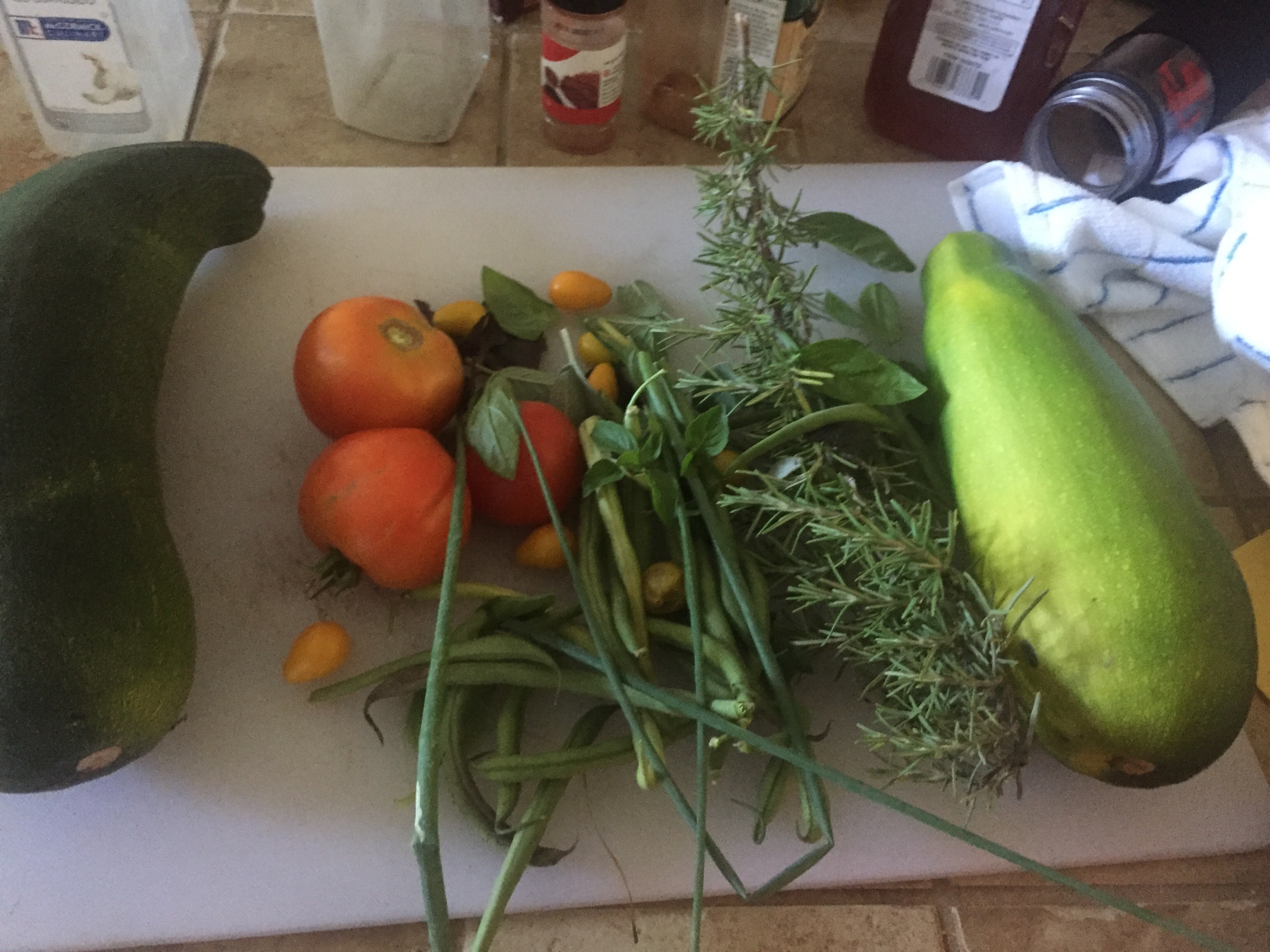
Quick meal of squash, Swiss chard used as spice, tomatoes, bell pepper, rosemary, and basil from garden with brats. Now to eat and watch Game of Thrones.





July 16, 2017
by dhoytt
0 comments
Quick meal of squash, Swiss chard used as spice, tomatoes, bell pepper, rosemary, and basil from garden with brats. Now to eat and watch Game of Thrones.
July 10, 2017
by dhoytt
0 comments
Yesterday brushed my okra with my arm picking bell peppers and had ants all over my arms, plus some near the house. Today placed some liquid ant bait and an hour later the liquid ant bait was full of ants. I can’t wait to see if this eliminates them.


July 1, 2017
by dhoytt
0 comments
After a day moving stuff around time to chill listening to Snakeice’s House of Beats, light incense, oils and light the skulls up.


July 1, 2017
by dhoytt
0 comments
Pruning plants, weeding and redistribution of my drip system sprinklers as the plants grow has my vegetables really producing healthy hearty produce.
Very nice going out in the morning collecting herbs like basil, chives and tomatoes to accentuate breakfast. Then later in the day squash, rosemary, beans, cucumbers or Swiss chard for my other meals.
Soon my peppers and eggplants will join the mix!
Later may make nice Bloody Mary with some garden fresh tomatoes and herbs or Mojto from some of my garden herbs.

Chives, Thai Basil, mint, sage and rosemary
Purple Bell Pepper, eggplant to the left
Collard greens in background, next to eggpants, with purple bell peppers and yellow pear tomatoes in middle, with cucumbers getting set to run, foreground has early girl tomatoes, sweet and purple basil, swiss chard and okra
 Early Girl tomatoes, sweet basil, Swiss chard, purple basil, okra is crowded in the back right
Eggplant and purple bell peper again

Closeup of baby English cucumber
The other side of the garden with chives, sage, eggpnat
Swiss chard and basil and eggplant

Part of the harvest recently zucchini, green bush beans, yellow pear tomatoes, early gir tomatoes, rosemary, sage, sweet basil and purple basil
 Part of the bounty being cooked in the wok
Prep work for morning omelette, chives, basil and tomatoes 
Recent dinner with my garden veggies and herbs
Mornings omelette with garden veggies and potatoes with garden herbs
June 10, 2017
by dhoytt
0 comments
Picked out 5×5 gallon buckets of weeds from the vegetable garden today and noticed the gardens are progressing nicely.
Here are some current pictures:
Prior to weeding

Prior to weeding

After weeding

After weeding

After weeding

Baby zucchini squash

Cucumber hiding under leaves

Early Girl Tomatoes

Rosemary, Sage, Oregano, Habanero

Thai Basil

Bush beans

Yellow Pear Tomatoes

Collard Greens and my dragonfly companion and grape vine in background

Dragonfly with cucumber plant foreground and grape vine background

Purple Basil, Okra and Celebrity Tomatoes

Italian Oregano and mint
May 24, 2017
by dhoytt
0 comments
I now know why I really love Linux right now after totally losing my XenServer configuration due to some overheating in my home data center today. I reinstalled my XenServer server reattached storage to my XenServer server and then reattached the luns I had created with unique names to my VM with the former boot drive in position 0 in the VM, and then my home VG drive in position 1 then my game drive as position 2 and the server booted Centos 7 just fine! I had to reset the network interfaces on XenServer and VM plus sit through a Selinux re-label on boot and then voila I’m up and running again
This past week I have actually been dealing with overheating since it started dramatically warming up here in the Sacramento valley. I have been able to log in remotely and get my XenServer back up until today when even the IPMI connection went dead on me I knew the server was in trouble then!
When I got home I still thought I would be able to clear some logs in the bios and crash dumps in XenServer and things would be back up in about 30 minutes. Not today, I had been neglecting these babies too long!
I could not even boot off the safe mode kernel! For XenServer I could only get to the CLI in single-user and could not get past that. The system was complaining about not being able to mount a filesystem “/var/xen/xc-install”. The complete error was: “Failed to mount /var/xen/xc-install”.
I looked in /etc/fstab and sure enough it had the line:
Well I could see the file /opt/xensource/packages/iso/XenCenter.iso and the mount point “/var/xen/xc-install “but when I did “mount –a” it said “filesystem type iso9660 unknown! I knew I had some module or kernel issues then or something else was royally corrupted. I played around with the basic XenServer commands then realized the cause was lost after I commented that line up got up and couldn’t get an IP address to stick and I didn’t want to go forward with some kluge of a system.
I did try and upgrade with a XenServer 7.0 DVD but that produced an error message I didn’t bother to even notate something about a split. So I weighed my options and went for the clean install to my XenServer disk. I verified all my hardware was solid and in good shape even blew off some dust and reseated memory and storage controller cards in the XenServer.
Then booted up my FreeNAS primary server reattached the NFS share from there that has all my ISO’s for installing OS’ and was thinking I would boot off of the Centos 7 ISO and then “dd” all my boot drive then my home drive then may game drives to the new luns.
As I reattached my prior drives to the new VM I decided that if I the Linux Rescue CD could detect my old environment and I received a proper path like /dev/xvdN then I would try to position my VM’s old luns properly and boot my VM up Well that’s what I did and it worked as I explained above!
Maybe my Windows VM’s will come up just fine with this method as well. This however means that I will now bring both of my XenServers up to run once again in an HA ( Highly Available) configuration with my FreeNAS as storage instead of using local storage I had been using so I could cut down on my energy costs. The use of local storage seems dead now and it looks like I may have to bite the bullet on Solar since I haven’t found a place I want to move to yet! Ahh well the complications of life at least now I will not have to login and bounce my systems with IPMI or “wake on LAN”.
Well I have a lot of work ahead of me with these issues later this week and beyond so excuse the typos and grammatical errors for now I’m going to bed, I still get up pretty early!
March 19, 2017
by dhoytt
0 comments
Finished laying out my vegetable garden for 2017 I was rushed into due to mint plants threatening to overwhelm the garden even though I decimated the mints last year. I guess the mint battle will continue as long as I live here though this was not as bad as last year.
This year I had more replanting of plants from last years crop than ever before so I left some plants out for now. The plants from last year will go into seed at some point and I have already planted their replacements.
As mentioned before collard greens, Swiss chard, chives, sage, and rosemary were replanted. I added 3 different types of tomatoes, eggplants, squash, lettuce, peppers, cucumbers and basil.
I also got made some repairs of the drip system and tested that. I finished turning my soil with the rototiller adding mulch and fertilizer now will strategically add and remove vegetables plus as plants grow move parts of the drip system.


March 18, 2017
by dhoytt
0 comments
Ready for mulch after doing a little pick and weed work. After doing pick work went to local spot to get compost or mulch but they were out so went to big box hardware\outdoor supply store to get some bags of mulch. Got my gas for all my small engines, fed gas to rototiller churned the ground and ready for mulch but then have to work on some systems this evening for job. Just waiting for processing of on job and databases to go down verify all is good then finish up in the garden. Here is how things look presently.


March 18, 2017
by dhoytt
0 comments
These are the holdover plants from last year that need replanting I have uprooted and will get back in the ground later.

March 18, 2017
by dhoytt
0 comments
Got my rototiller back today and tackling backyard vegetable gardens. Besides fighting weeds I have a some replanting to do primarily with collard greens and Swiss chard.